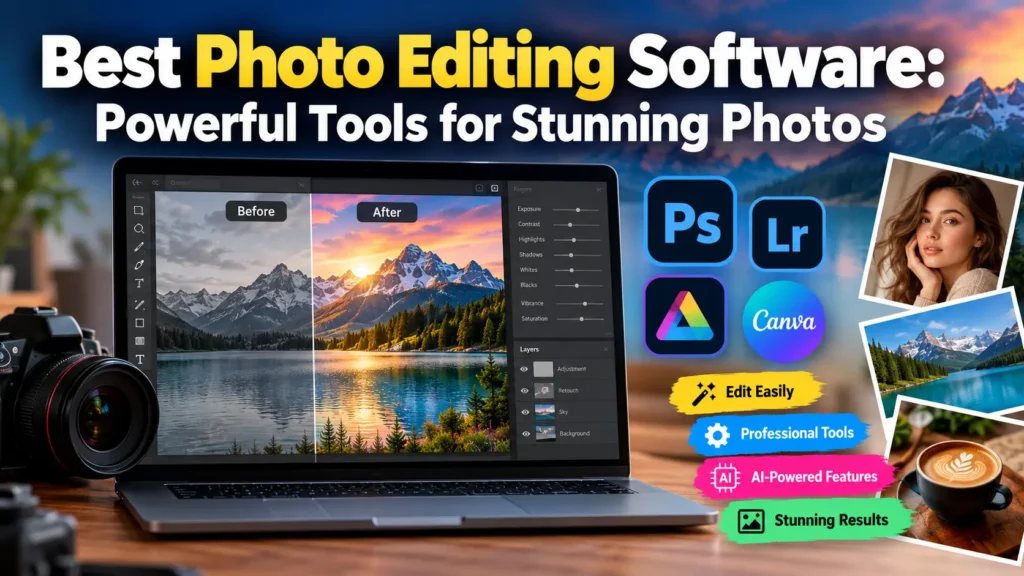
Best Photo Editing Software: Powerful Tools for Stunning Photos
+
Table of Contents
- 1 Quick Verdict
- 2 Specification of Photo Editing Software
- 2.1 Performance
- 2.2 Software
- 2.3 Real-World Testing
- 2.3.1 Portrait Editing
- 2.3.2 Product Photography
- 2.3.3 Social Media Graphics
- 2.3.4 Creative Compositing
- 3 Competitive Analysis of Photo Editing Software
- 3.1 Adobe Lightroom
- 3.2 Canva
- 3.3 Other Alternatives to Photo Editing Software
- 3.4 Who should buy?
- 3.4.1 It may also benefit:
- 3.5 Who should not buy?
- 3.6 Price/Value
- 4 Conclusion
- 4.1 FAQs
- 4.1.1 1. For professionals, which option do you recommend for Photo Editing Software?
- 4.1.2 2. How much is Photoshop in the US?
- 4.1.3 3. Is Photoshop better than Lightroom?
- 4.1.4 4. Is there a free version of Photoshop?
- 4.1.5 5. What is the best photo editing software for beginners?
- 4.1.6 6. Is Photoshop good for photographers?
- 4.1.7 7. Is Adobe Lightroom cheaper than Photoshop?
The best photo editing software can be a valuable asset for anyone from the professional photographer to the passionate social media user. With the right photo editing software, you can enhance your photos and give them a professional edge.
Traditional Photo Editing requires little more than filter and crop functions, but higher-end programs can offer users tools like RAW editing, image layers, and masking, as well as background and object edits. Some programs even incorporate artificial intelligence.
Quick Verdict
- Versatile editing: Adobe Photoshop offers extensive creative control for photo editing and artwork composition.
- Advanced tools: Features such as layer editing, object manipulation, and AI-powered tools allow users to make precise adjustments.
- Beginner-friendly flexibility: Users with different experience levels can create and refine professional-looking images.
- Photography plan: Users interested in photography can choose Adobe’s plan that includes both Photoshop and Lightroom.
- Monthly price: The Photography plan costs $19.99 per month.
Pros
- Powerful layer and masking systems
- Broad retouching capabilities
- Intuitive compositing tools
- Integrated AI-enabled tools
- Available via desktop, web, and mobile apps
- Tight integration with other Adobe products
- Designed for high-end photo and graphic design work
- Frequent feature improvements
Cons
- Price may be too high for infrequent users
- Can have a steep learning curve
- May feel overwhelming to use at times
- Heavy workloads may stress hardware limits
- Some AI features use generative credits
- U.S. Pricing and inclusions
- Photoshop 2.0
- Annual Plan cost: $22.99
- 100GB of cloud storage
- 25 Generative AI Credits
- Free Trial Available
Best for:
Photographers, Designers, and other Creative Professionals
Photoshop also receives updates tied to Adobe’s AI-focused innovation efforts. Users can edit and adjust photos by adding and removing various image elements. Current AI-powered tools include Generative Fill, Rotate Object, and Harmonize.
Also Read: Best Digital Marketing Tools: Powerful Picks for Success
Specification of Photo Editing Software
| Specification | Adobe Photoshop |
|---|---|
| Category | Professional image editor |
| Platforms | Windows, macOS, Web, iPhone, iPad |
| Editing | Layers, masks, selections, retouching, compositing |
| AI Tools | Generative editing and AI-assisted features |
| Cloud Storage | 100GB |
| Generative Credits | 25 monthly |
| Free Trial | Available |
| U.S. Standalone Price | $22.99/month |
| Photography Plan | $19.99/month |
| Best For | Photographers, designers, creators, and professionals |
Performance
Performance is an important consideration when choosing photo editing software, particularly for photographers working with large RAW files or high-resolution images.
Photoshop handles everyday tasks such as cropping, exposure correction, color adjustments, masking, and retouching efficiently on suitable hardware. More demanding projects involving numerous layers, large files, complex filters, or generative AI can require significantly more processing power and memory.
Adobe has also expanded its AI capabilities. Photoshop now supports tools designed to help users add, remove, transform, and manipulate elements within images. Adobe highlights features such as Generative Fill, Rotate Object, and Harmonize as part of its current editing experience.
Software
Photoshop is designed for much more than simple photo enhancement. It combines photography, graphic design, digital art, and image compositing in one application.
Photographers can use it for detailed retouching, color correction, background adjustments, sharpening, and creative effects. Designers can combine photographs with illustrations, graphics, typography, and other visual elements.
AI-assisted editing adds another dimension. Users can remove unwanted objects, expand compositions, replace elements, and make other modifications with considerably less manual work than traditional editing methods.
Photoshop also works with Adobe’s wider ecosystem. Users can combine it with Lightroom, Illustrator, Adobe Express, and other Creative Cloud applications.
Real-World Testing
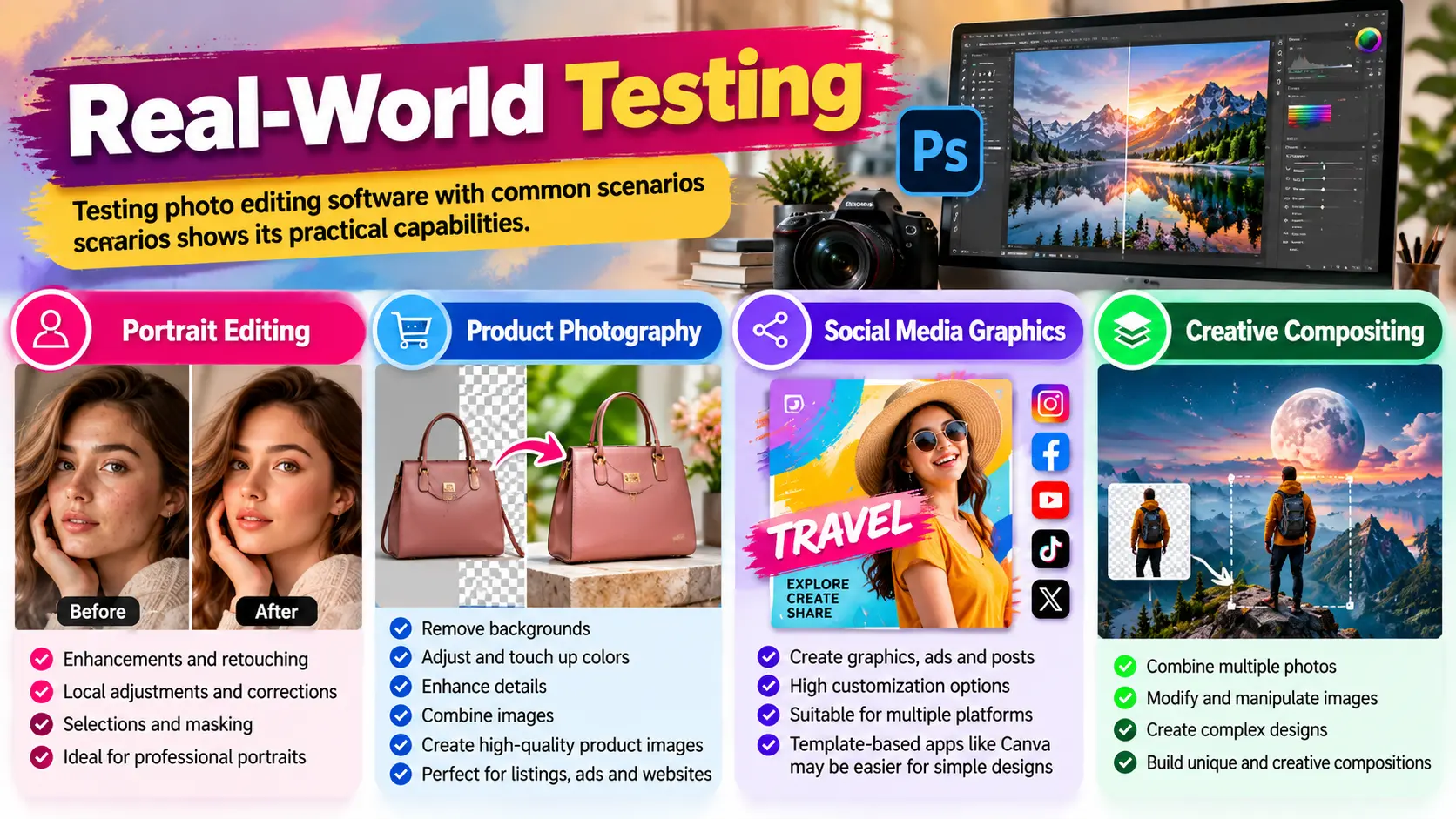
Testing photo editing software with common scenarios gives a better sense of its practical capabilities than a feature list alone.
Portrait Editing
Photoshop excels at all aspects of professional photo editing, especially enhancements and retouching work.
Photoshop is a clear winner when portrait enhancements are required. Local adjustments and corrections, as well as selections and masking, give Photoshop an edge over other photo editing apps.
Product Photography
Editing photos in Photoshop has a number of benefits for businesses that sell products online. Photoshop makes it easy to remove backgrounds, adjust and touch up colors and details, and combine images in various ways.
This level of control allows businesses to create consistent and high-quality images for product listings and ads. Photos can be easily customized for various platforms such as websites and social media.
Social Media Graphics
Photoshop allows a great deal of customization when creating graphics, ads, and other images. Since a lot of social media graphics do not require a lot of design work and can be created quickly, users may find it easier to use a template-based application like Canva.
Creative Compositing
Photoshop allows users to combine and modify photos in a number of ways to create complex designs and images.
Competitive Analysis of Photo Editing Software
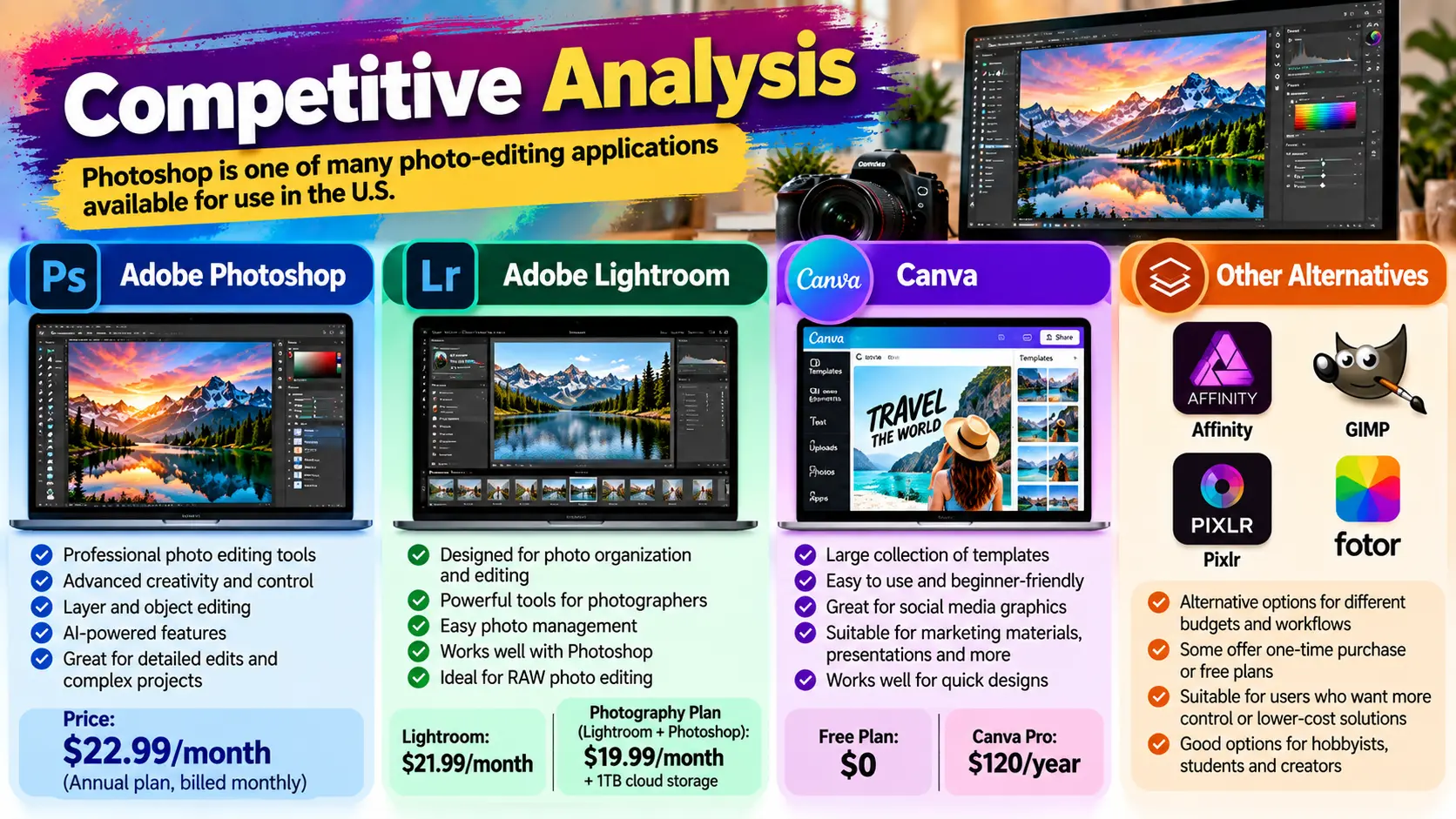
Photoshop is one of many photo-editing applications available for use in the U.S.
Adobe Lightroom
Similar to Photoshop, Adobe also charges a monthly subscription for Lightroom. Lightroom is designed for photo organization and editing. The monthly plan for Lightroom is $11.99. For $19.99 per month, users get Lightroom and Photoshop, along with other applications and 1TB of cloud storage.
Canva
Like Photoshop, Canva also offers a number of templates for various types of images. Canva’s Free plan allows users to create simple images. For more complex designs and images, users can subscribe to Canva Pro for $120 per year. Canva is a good application for creating social media graphics and images, as well as other designs and templates.
Also Read: Best FPV Drones Under $300: Ultimate Beginner Picks
Other Alternatives to Photo Editing Software
Some users may be drawn to Affinity, GIMP, and other desktop/browser-based options, due to pricing, workflow, and/or overall control.
Who should buy?
The answer is clear for those requiring in-depth editing tools.
It may also benefit:
- Photographers
- Designers
- Artists
- Those operating in the e-commerce, Marketing, and content creation industries
- Freelancers
- Agencies
- Creators in the Social Media/YouTube sphere
- People requiring image editing/manipulation
Users requiring editing tools for projects involving: Retouching, Compositing, Masking, other A.I. tools, image manipulation
Who should not buy?
It is not required to edit images in these ways if your projects involve simple edits, e.g., adding text.
Photographers requiring editing tools may find a better fit with Lightroom, which has tools for processing RAW files.
People requiring a free tool may want to look elsewhere as well.
Price/Value
Photoshop is priced at $22.99/month with an annual subscription. An annual subscription is also available for $263.88.
The Photography plan, which includes Photoshop and Lightroom as well as 1TB cloud storage, is also available for $19.99/month.
Adobe Creative Cloud Pro is currently $69.99 monthly, with applications including Photoshop, Illustrator, InDesign, Premiere Pro, and more. Right now, you can get your first three months for $34.99.
Conclusion
Generally speaking, more casual users of Adobe applications will not find a need to purchase a subscription. However, if you are a user who needs a variety of high-end editing tools, Photoshop may be the better option.
Photoshop is incredibly powerful with its layers and masking systems, as well as a plethora of tools to aid and assist in image manipulation, retouching, and compositing.
Photoshop is an industry standard in image editing and manipulation. For more casual editing, less powerful and cheaper options exist.
Photoshop can be considered one of the better options for image manipulation, editing, and design for users in the U.S. However, for less power-user and casual editing, other more affordable and less complex options exist.
FAQs
1. For professionals, which option do you recommend for Photo Editing Software?
For the most control and advanced features, tools and functions for photo retouching and compositing, and manipulation, we recommend Adobe Photoshop.
2. How much is Photoshop in the US?
Photoshop is $22.99/month if you choose to be billed annually, or you can pay $263.88 for a one year license.
3. Is Photoshop better than Lightroom?
Both are owned by Adobe and can be purchased in the photography plan. Lightroom is more for editing and organizing your photographs. Photoshop can be used more for graphical design and image editing and creation.
4. Is there a free version of Photoshop?
Adobe offers a 7 day free trial to Photoshop. After that you will need to pay to access it.
5. What is the best photo editing software for beginners?
It depends on the kind of editing and design you want to do. Photoshop can be used for design. If you want to do more photography based edits then Lightroom can be used.
6. Is Photoshop good for photographers?
Photoshop can be used for many photography based edits and adjustments. Photoshop can be used with other applications that are owned by Adobe as well.
7. Is Adobe Lightroom cheaper than Photoshop?
At the moment, Adobe charges less for Lightroom than Photoshop.