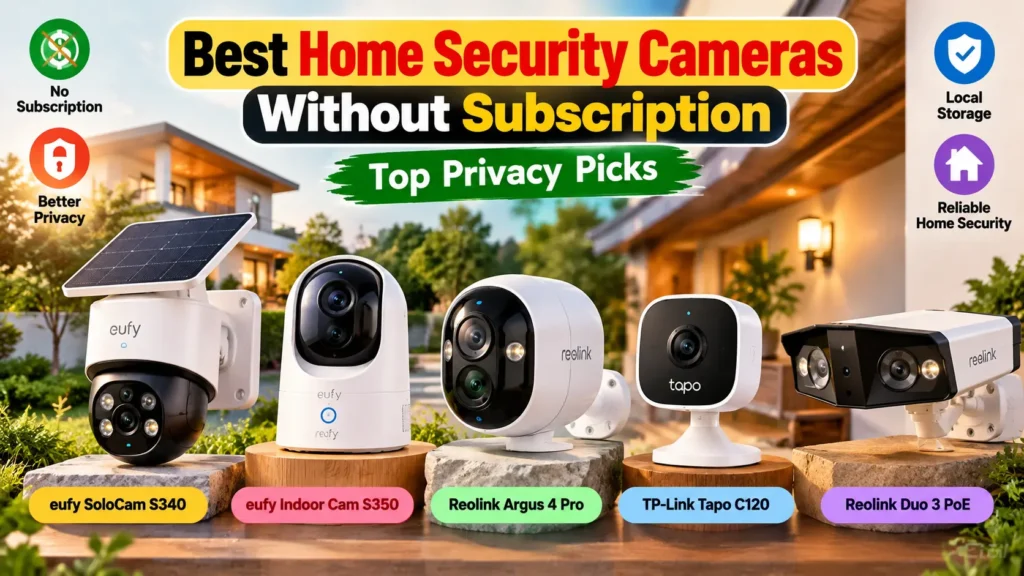
Best Home Security Cameras Without Subscription: Top Privacy Picks
+
Table of Contents
- 1 Why Choose Home Security Cameras Without a Subscription?
- 2 Top Privacy-Focused Security Cameras to Consider
- 2.1 1. Eufy SoloCam S340 – Best for Outdoor Privacy
- 2.1.1 Key features:
- 2.1.2 Benefits:
- 2.2 2. eufy Indoor Cam S350 – Best for Indoor Monitoring
- 2.2.1 Key features:
- 2.2.2 Advantages:
- 2.3 3. Reolink Argus 4 Pro – Ideal for extensive outdoor surveillance
- 2.3.1 Key features:
- 2.3.2 Advantages:
- 2.4 4. TP-Link Tapo C120 – Best Budget-Friendly Option
- 2.4.1 Key features:
- 2.4.2 Advantages:
- 2.5 5. Reolink Duo 3 PoE – Best for Continuous Recording
- 2.5.1 Key features:
- 2.5.2 Advantages:
- 3 Comparison Table: Best Cameras Without Monthly Fees
- 4 Conclusion
- 4.1 Frequently Asked Questions (FAQs)
- 4.1.1 1. Do you need a subscription to use security cameras?
- 4.1.2 2. What is the best security camera for privacy?
- 4.1.3 3. Can local-storage cameras capture images even if the Internet isn’t working?
- 4.1.4 4. What is the amount of local storage required?
- 4.1.5 5. Do subscription-free cameras make good business sense?
When selecting the ideal home security camera, you shouldn’t be paying recurring charges to watch back at your own house. Home security cameras without subscription fees provide an attractive blend of privacy, ease of use, and savings to homeowners all around the United States. Many feature microSD cards, local network storage, or a dedicated home hub for storing footage without the need to pay for a cloud-based subscription.
Some of the best choices will depend on the type of video footage you need to capture, the storage size, installation process, and smart home integration.
In this guide, we will cover some popular local recording cameras, their features, advantages, and what you should look for when purchasing these types of cameras.
Why Choose Home Security Cameras Without a Subscription?
Old-style security cams encourage customers to buy cloud-based storage for footage history, sophisticated alerts, and more. While using cloud storage might simplify things, subscription costs can add up to the overall cost of ownership.
Home security cameras that do not require a subscription, on the other hand, will record footage to a memory card, base station, or network-attached storage device within the camera. This option provides homeowners greater control over their footage and can help to lower ongoing costs.
Key benefits include:
- Cost: Reduce the costs of cloud storage services when local recording is sufficient.
- More control over privacy: Record using a device you control rather than 100% in the cloud.
- Access to video convenience: See saved videos via the camera’s app or compatible local system.
- Easy installation: Select indoor, outdoor, wired, or battery-operated models.
- Local recording capability: This depends on the design of the system and will allow some systems to keep recording data locally if the internet connection is down.
Keep in mind that privacy can’t always be taken for granted in local storage. App accounts, remote access, firmware updates, and optional cloud features still count.
Top Privacy-Focused Security Cameras to Consider
1. Eufy SoloCam S340 – Best for Outdoor Privacy
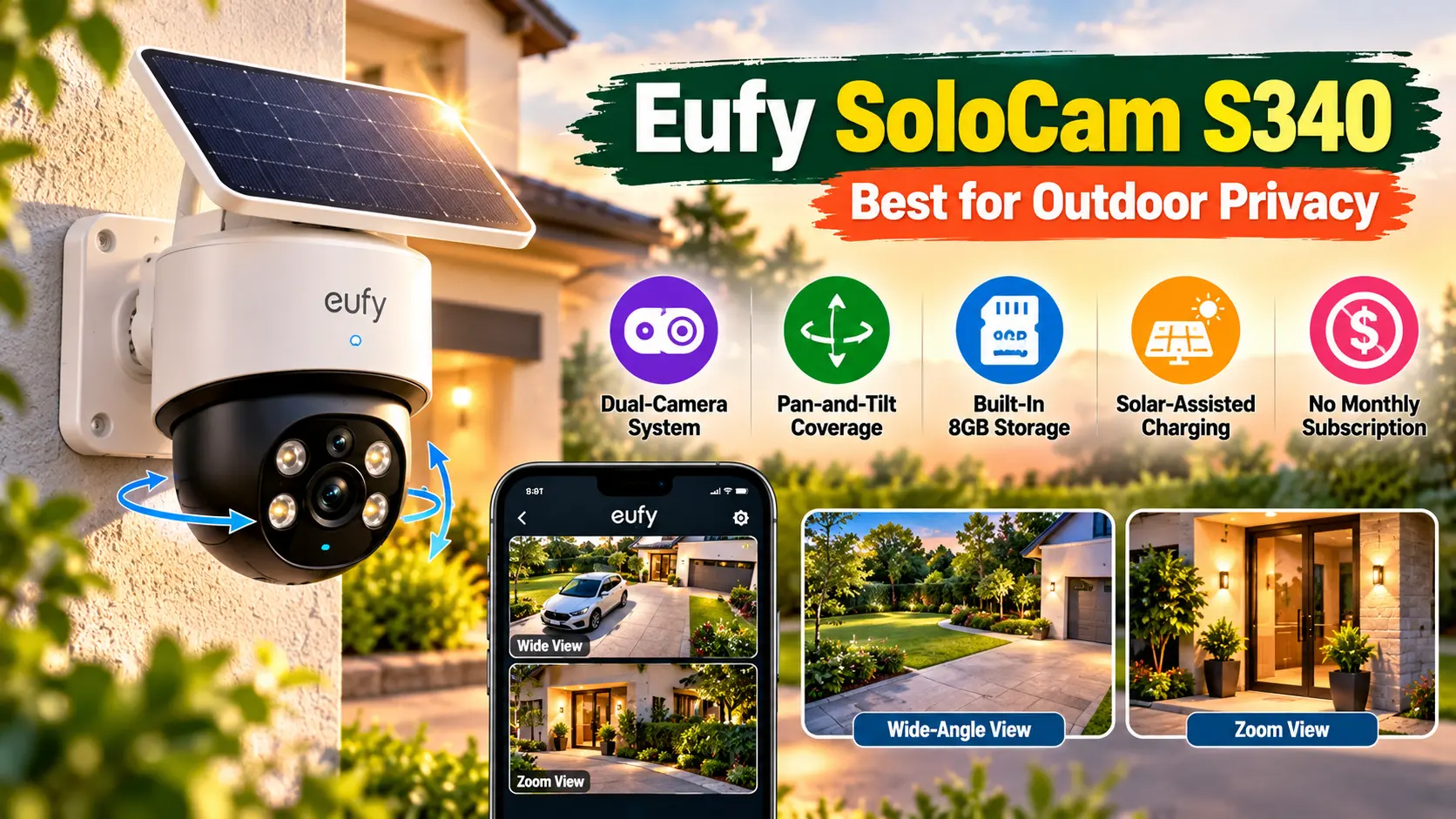
The eufy SoloCam S340 is worth considering for homeowners who want outdoor monitoring without running power cables across the yard. Its dual-camera design, pan-and-tilt movement, and solar-assisted charging make it suitable for driveways, garages, and backyard entrances.
Key features:
- Dual-camera system with zoom capabilities.
- Pan-and-tilt coverage for monitoring wider areas.
- Built-in 8GB local storage.
- Solar-assisted charging with a compatible panel.
- No mandatory monthly subscription for core local-storage functionality.
Benefits:
The camera offers flexible placement and can reduce dependence on cloud recording. Its movable view helps monitor a larger outdoor area than a fixed-angle camera, although it may not replace multiple cameras for complete property coverage.
Also Read: Bambu Lab A1 Mini vs Ender 3 V3: Which Budget 3D Printer Wins?
2. eufy Indoor Cam S350 – Best for Indoor Monitoring

The eufy Indoor Cam S350’s dual-lens feature allows for wide-angle and telephoto lens modes for indoor security. The pan and tilt feature can be helpful in the living room, entryways, and other areas with wide surface areas where movement will take place.
Key features:
- 4K wide-angle and 2K telephoto lenses.
- Pan & Tilt and Hybrid Zoom.
- Local recording via compatible microSD card / supported HomeBase.
- Motion monitoring and two-way communication.
Advantages:
Access to a room, report on pets or activity without subscribing to a cloud. To maintain privacy, ensure the camera is set only where it can be used to record and utilise the privacy settings when it is not needed.
3. Reolink Argus 4 Pro – Ideal for extensive outdoor surveillance
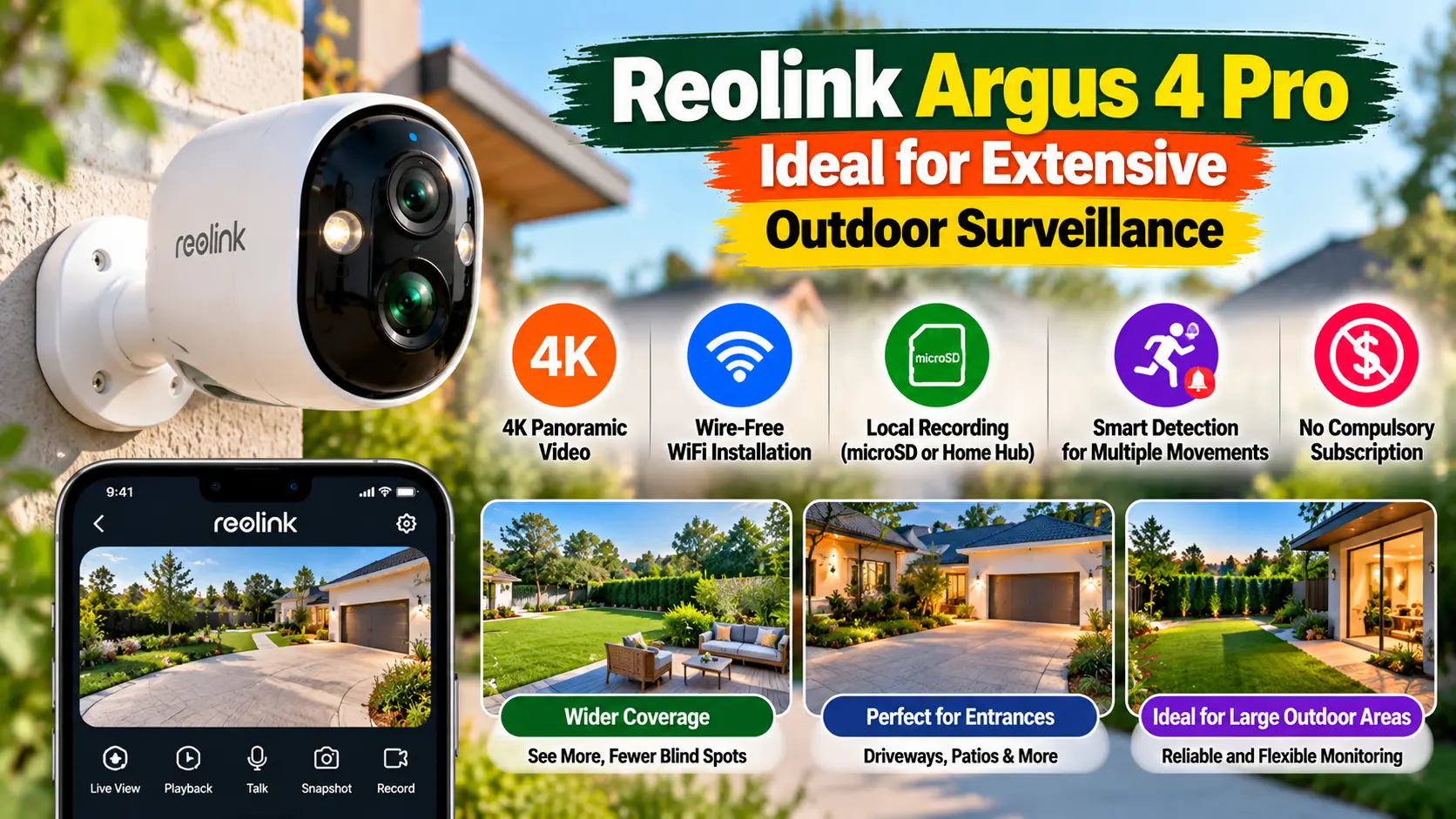
The Reolink Argus 4 Pro is meant for the homeowner who desires wide outdoor monitoring and would not, of course, prefer to deal with cumbersome wiring. It features a panoramic 4K lens, battery power, and local storage, making it ideal for entrances, patios, and driveways.
Key features:
- 4K panoramic video.
- Installation without wires, via WiFi.
- Local recording with a compatible microSD card or Home Hub.Smart detection for supported types of movement.
- There is no compulsory subscription to the core local recording.
Advantages:
It can minimize blind spots over an extensive area, and the local storage will help you maintain a sense of control over your recordings. Keep in mind, however, that most battery cameras record only when they sense that there is movement.
4. TP-Link Tapo C120 – Best Budget-Friendly Option
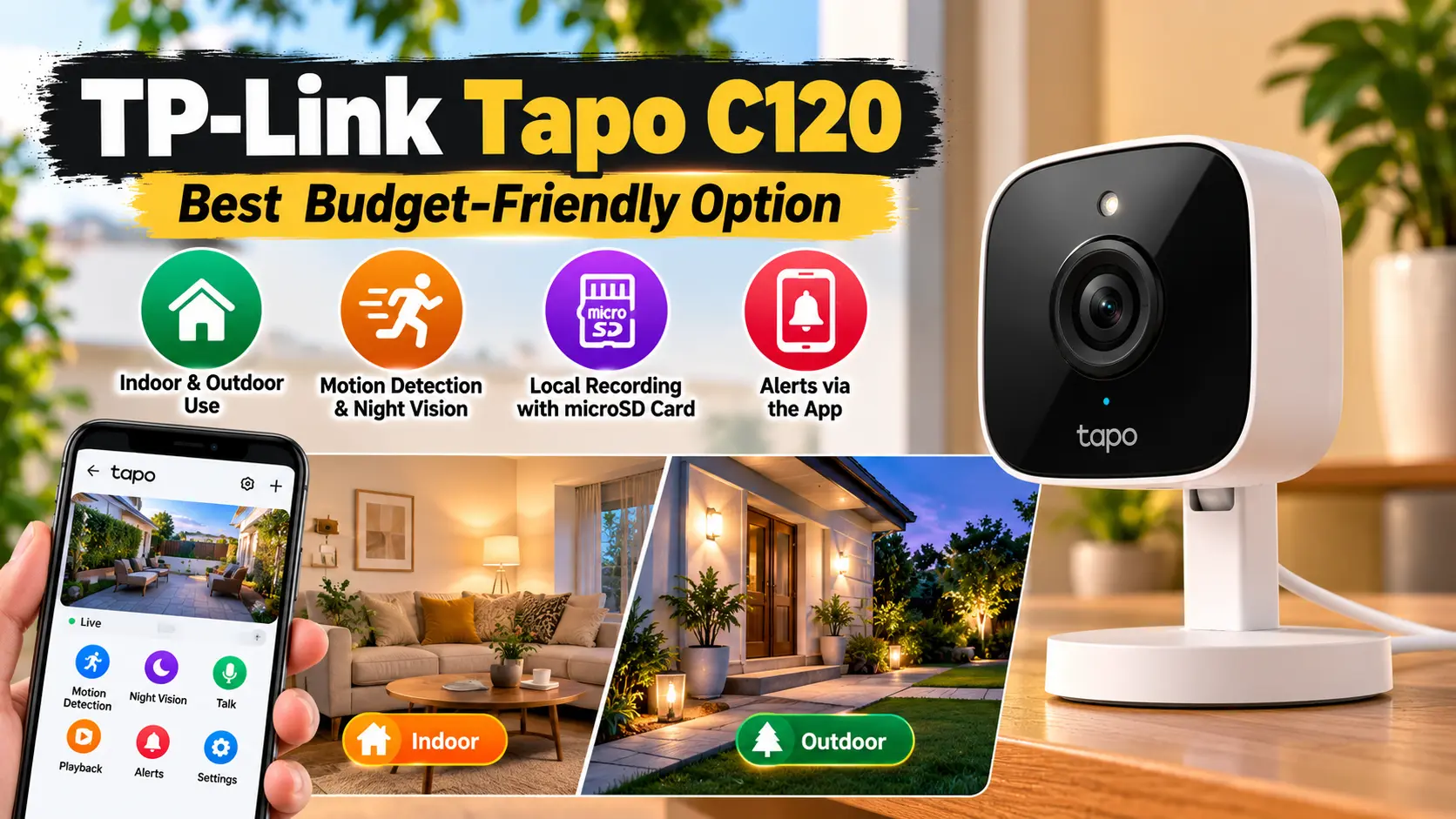
TP-Link Tapo C120 is a sensible choice for those who need an inexpensive camera for a small household, apartment, or covered outdoor space. It is easy to use because of its simple design and local microSD recording.
Key features:
- Use in suitable conditions, indoors and outdoors.
- Motion detection and night vision.
- Local recording with a compatible microSD card.
- Alerts via the App.
Advantages:
Coverage from one camera can be useful without the cost of a comprehensive security system. When purchasing, check if there are any supported storage capacities, recording modes, or detection or notification features that can be used without using optional cloud services.
5. Reolink Duo 3 PoE – Best for Continuous Recording
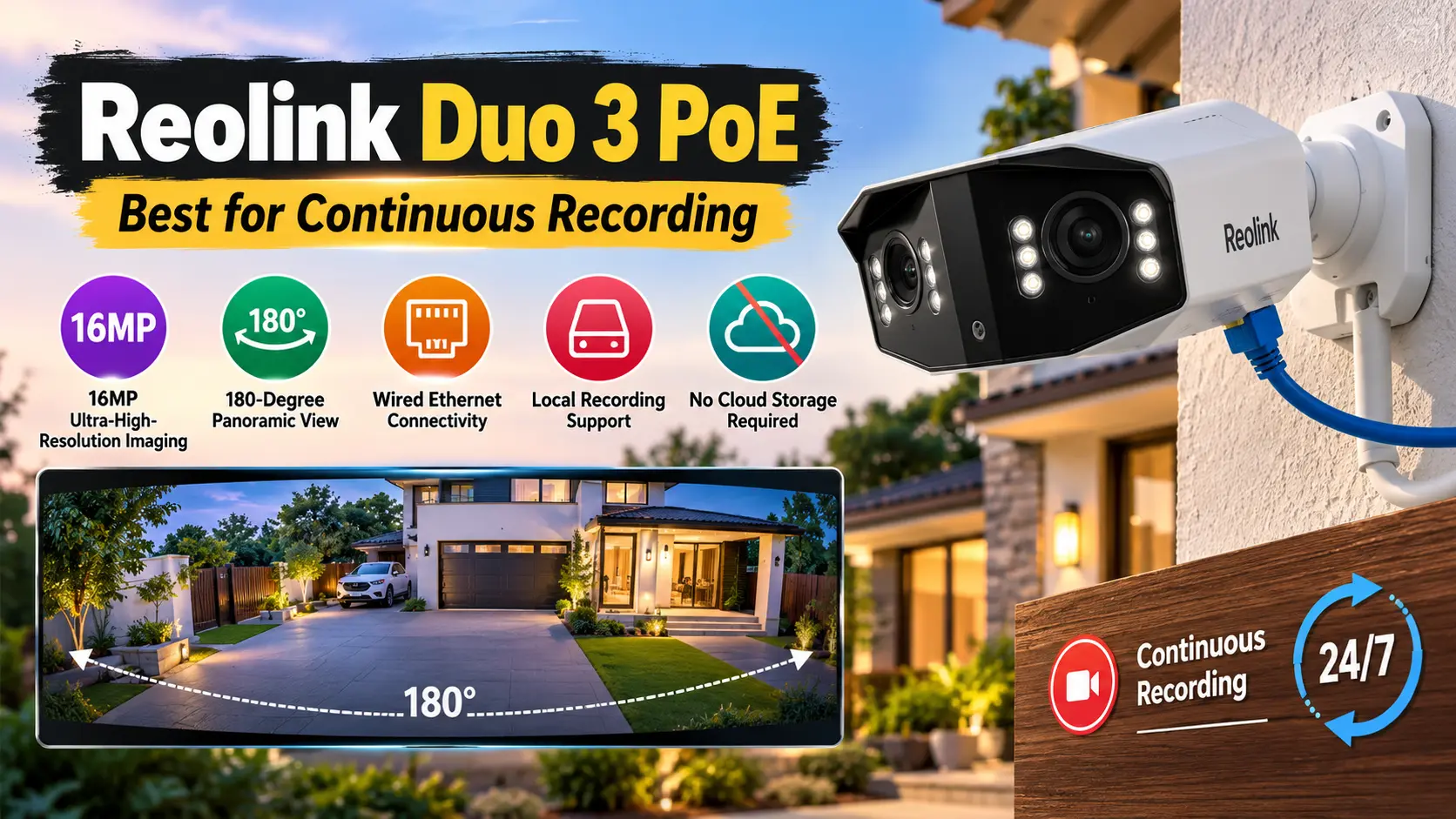
The Reolink Duo 3 PoE is a wired camera with a wider panoramic view for those who require more in-depth surveillance. Power over Ethernet (PoE) is a technology that enables compatible network equipment to send power and data over a single cable.
Key features:
- 16MP ultra-high-resolution imaging.
- 180-degree panoramic view.
- Wired Ethernet connectivity.
- Supported storage configurations for local recording.
- There is no requirement to use cloud storage for primary local recording.
Advantages:
It’s convenient when you want to keep recording continuously. You will need to have the proper type of cabling and have some sort of storage device compatible with it, like an NVR or supported local storage device. More complicated to install than a battery camera.
Comparison Table: Best Cameras Without Monthly Fees
| Camera | Best Use | Local Storage | Main Advantage |
|---|---|---|---|
| eufy SoloCam S340 | Driveways and yards | Built-in 8GB | Solar-assisted outdoor monitoring |
| eufy Indoor Cam S350 | Indoor rooms | microSD or compatible HomeBase | Dual lenses with pan-and-tilt functionality |
| Reolink Argus 4 Pro | Wide outdoor scenes | microSD or Home Hub | 4K panoramic coverage |
| TP-Link Tapo C120 | Budget home monitoring | microSD | Compact design and flexible installation |
| Reolink Duo 3 PoE | Larger properties | Backup storage or NVR support | Wired panoramic recording |
The details of specifications and storage compatibility may differ per model, region, and firmware. Always review the latest manufacturer’s information before buying.
Also Read: Best AI Podcast Tools in 2026: Powerful Picks for US Creators
How to Choose the Right Camera for Your Home
When picking home security cameras that don’t require a subscription, take into account how you will utilize footage. The right choice depends on the layout of your property, what you will want to record, and how much privacy you want.
- Storage capacity: Select a camera that can accommodate sufficient microSD or hub storage to record the footage you want.
- Recording mode: For entrances and driveways, a motion-triggered camera might be just the ticket, and for continuous recording, a wired camera may be better.
- Night vision: Infrared or color night vision will provide you with the opportunity to capture activity at night.
- Security features: Check for encryption, robust accounts, two-factor authentication, and regular updates to the firmware.
- Internet independence: Check if there is any functionality loss during an internet outage (record, playback, alerts, viewing remotely). These functions may have different requirements.
Ideally, home security cameras that don’t require a subscription will have the required recording functions you need, without charging you extra for simple video access.
Conclusion
The top home security camera systems that don’t require a subscription offer reliable monitoring, local storage options, and more control over their footage. The eufy SoloCam S340 is an excellent choice for solar-powered outdoor surveillance, the eufy Indoor Cam S350 is ideal for indoor surveillance, and the eufy Reolink Duo 3 PoE should be considered for wired panoramic surveillance. For those looking for an affordable option, they should consider the TP-Link Tapo C120.
Finally, select a camera depending on which mode you wish to record, storage needs, available space, and privacy considerations. Before buying, consider the total price of the hardware and storage equipment. You can secure your home and not increase your monthly expenses with the appropriate setup.
Frequently Asked Questions (FAQs)
1. Do you need a subscription to use security cameras?
Yes. A large number of cameras record to a micro-SD card, internal memory, an internal hub, or an NVR (Network Video Recorder). There are some advanced features available on an optional paid plan, however.
2. What is the best security camera for privacy?
Local storage camera, local storage with encryption, and cameras with strong local controls are good choices. Check manufacturer data handling policies and turn off cloud services you don’t require.
3. Can local-storage cameras capture images even if the Internet isn’t working?
Some can even record locally if there is no Wi-Fi or internet. But some remote viewing, app notifications and other smart features may cease to function. See if the exact model is capable of working offline.
4. What is the amount of local storage required?
This will depend on how good the video is, the length of the video, frame rate and whether the camera is recording constantly or only when there’s any sort of movement. Generally, continuous recording needs more storage space than event based recording does.
5. Do subscription-free cameras make good business sense?
They can be a great investment for homeowners who do not want to pay ongoing fees and want to have more control over the recordings. Before making a decision, compare initial hardware prices, storage accessories and feature restrictions.