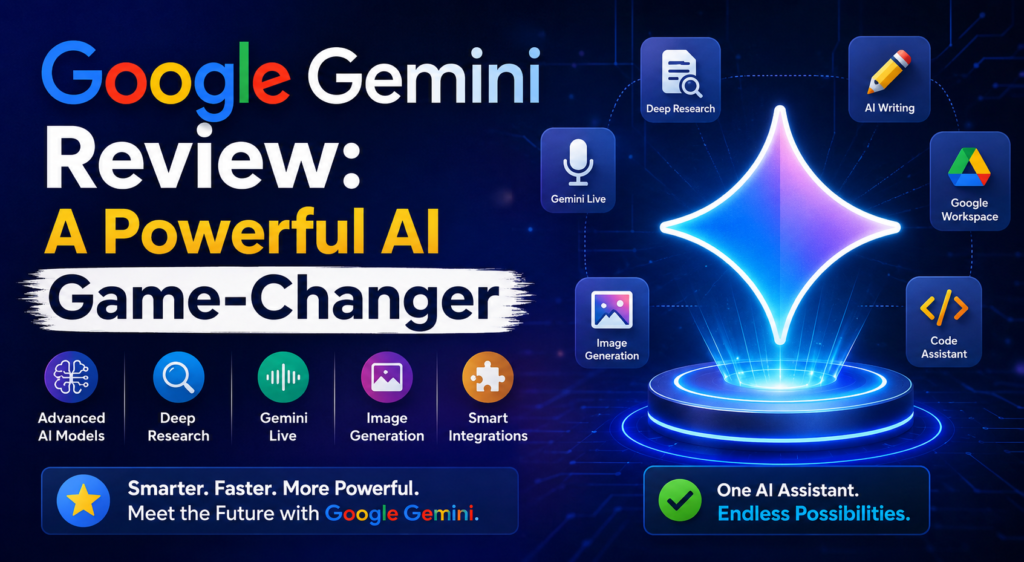
Google Gemini Review: A Powerful AI Game-Changer
+
Table of Contents
- 1 Google Gemini Review: What Is It?
- 1.1 Google Gemini Text and Availability
- 1.1.1 Web App
- 1.1.2 Mobile App
- 1.1.3 Connected Apps
- 2 Main Features Of Google Gemini
- 2.1 1. Gemini Live
- 2.2 2. Deep Research
- 2.3 3. Canvas
- 2.4 4. Image and Creative Generation
- 2.5 5. Gems
- 3 Benefits of Google Gemini
- 4 Uses of Google Gemini
- 4.1 Improved Productivity
- 4.2 Excellence in Learning
- 4.3 Effective Content Creation
- 4.4 Convenient Google Integration
- 4.5 Who Should Use Google Gemini?
- 4.6 Pros and Cons
- 5 Final Verdict
Google’s Gemini project is an example of how quickly AI technology evolved from experimental to applicable. Compared to other AI tools, Gemini is unique in that it provides AI assistance within the context of Google’s other services. Now, tools such as question answering, topic research, word processing, creating images, coding, brainstorming, and file analysis are all made possible within Gemini, via voice command or through integrated camera and screen sharing.
In this Google Gemini review, we investigate the apps and the significant features of the platform, its scope and boundaries, and the users who can potentially derive the most value.
Google Gemini Review: What Is It?
Google Gemini includes both consumer models and family apps of AI. It is accessible via web and mobile apps to facilitate user interaction with AI on both desktop and mobile devices.
As compared to traditional chatbots, Gemini now offers AI processing and creative tools that can be used with proactive assistance via a variety of fast and connected apps. According to Google, Gemini crossed the one billion monthly active users mark for 2026, showing how quickly the open AI ecosystem developed by Gemini is growing.
One of the biggest competitive advantages of Gemini is how deeply it is integrated within the Google ecosystem. Based on a user’s account, plan, location, and the integrations that are active, the assistant will be able to engage with services and data that the user is already using.
Google Gemini Text and Availability
Users appreciate the many options available to access the Gemini experience.
Web App
The web-based version is designed to make conversations, research, analysis of files, and other tasks involving artificial intelligence simple and requires no installation of a traditional desktop application. It can be used across all major browsers.
This version is valuable to professionals, students, marketers, writers, developers, and researchers because they perform their work with a lot of information and data.
Mobile App
AI assistance is available at your fingertips with the Gemini mobile application. Simply input your prompts with text or voice inputs for when you are away from your computers.
An exciting feature of Gemini is Gemini Live. This feature supports natural user input through voice commands and can offer real-time streaming of photos and videos along with screen sharing where applicable.
Connected Apps
Another important development is the increasing number of connected applications. Google has announced integrations to cover productivity, creativity, entertainment, travel, music, home services, and others. The integrations aim to offer users more ways to interact with AI to fulfill various tasks.
Main Features Of Google Gemini
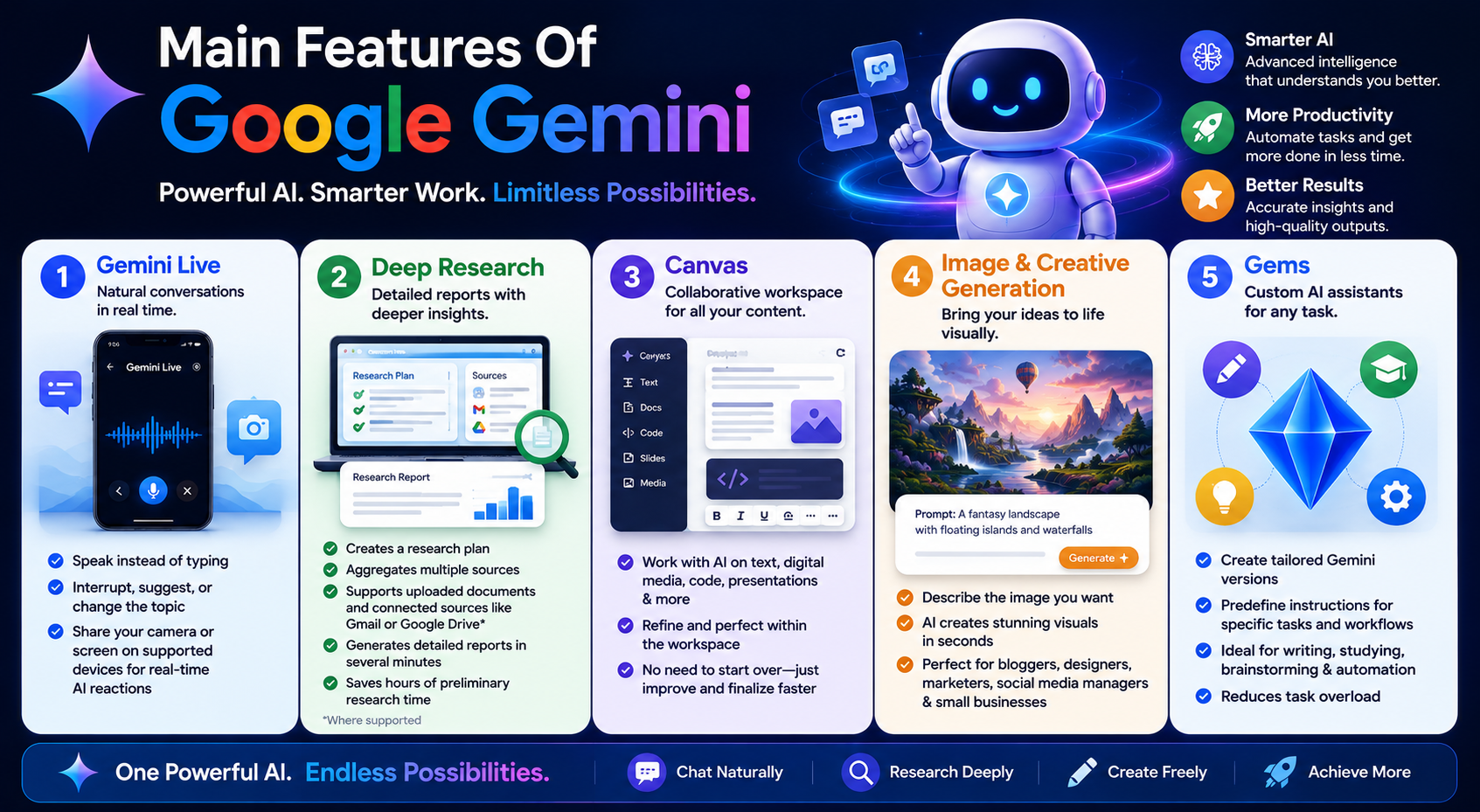
This AI system has plenty of features and has created serious competition in the AI market.
1. Gemini Live
Natural conversations are more engaging, and Gemini Live does just that. Using this feature allows users to speak instead of constantly having to type prompts and can interrupt the conversation, make suggestions, and even change the subject of the conversation if they want to.
On supported devices, users can let AI react to what is happening on screen by sharing their camera or screen.
2. Deep Research
Deep Research is useful for complex, multi-step, systematic tasks. Unlike simple open-ended prompts, which generate instant quick responses, Deep Research creates a research plan, aggregates multiple sources, and outputs a complete research report.
Users can incorporate uploaded documents and, where supported, connected sources like Gmail or Google Drive. According to Google, the time needed to process numerous sources and create a report is around several minutes.
This software greatly reduces the preliminary research time needed for researchers, marketers, students, and other professionals in the industry.
3. Canvas
Canvas makes a productive and collaborative workspace for users working with AI on text, digital media, applications, presentations, and other types of content.
Unlike asking AI for complete outputs and starting the task from scratch once the output fails to meet expectations, users can quickly finalize the task within the workspace.
4. Image and Creative Generation
Another major AI feature of the platform is the ability to create images. Unlike other image creation AI platforms, which require inputs in text, users describe the image, and the AI does the rest of the work.
This is rather useful for bloggers, designers, social media managers, marketers, and small businesses.
5. Gems
Users can tailor a Gemini version for particular tasks and workflows with predefined instructions for the task. This avoids task overload.
Creating a digital assistant to help write, study, brainstorm, or automate workflow tasks is possible.
Also Read- ChatGPT Complete Guide: Unleashing The Power of AI
Benefits of Google Gemini
| Google Gemini Feature | What Is It? | Who Can Benefit? |
|---|---|---|
| Gemini Live | Natural voice control and conversational interaction | Everyone |
| Deep Research | Detailed reports and in-depth research | Researchers and professionals |
| Canvas | Interactive content building and editing | Writers and developers |
| Image Generation | Rapid visual content creation | Marketers and creators |
| Gems | Customized AI assistance for specific tasks | Users automating repetitive tasks |
| Connected Apps | Task completion across multiple apps | Productivity-focused users |
| File Analysis | Analyzing and understanding uploaded data | Students and businesses |
| Improved Productivity | Helps streamline tasks, research, content creation, and workflows | Professionals, creators, students, and businesses |
Uses of Google Gemini
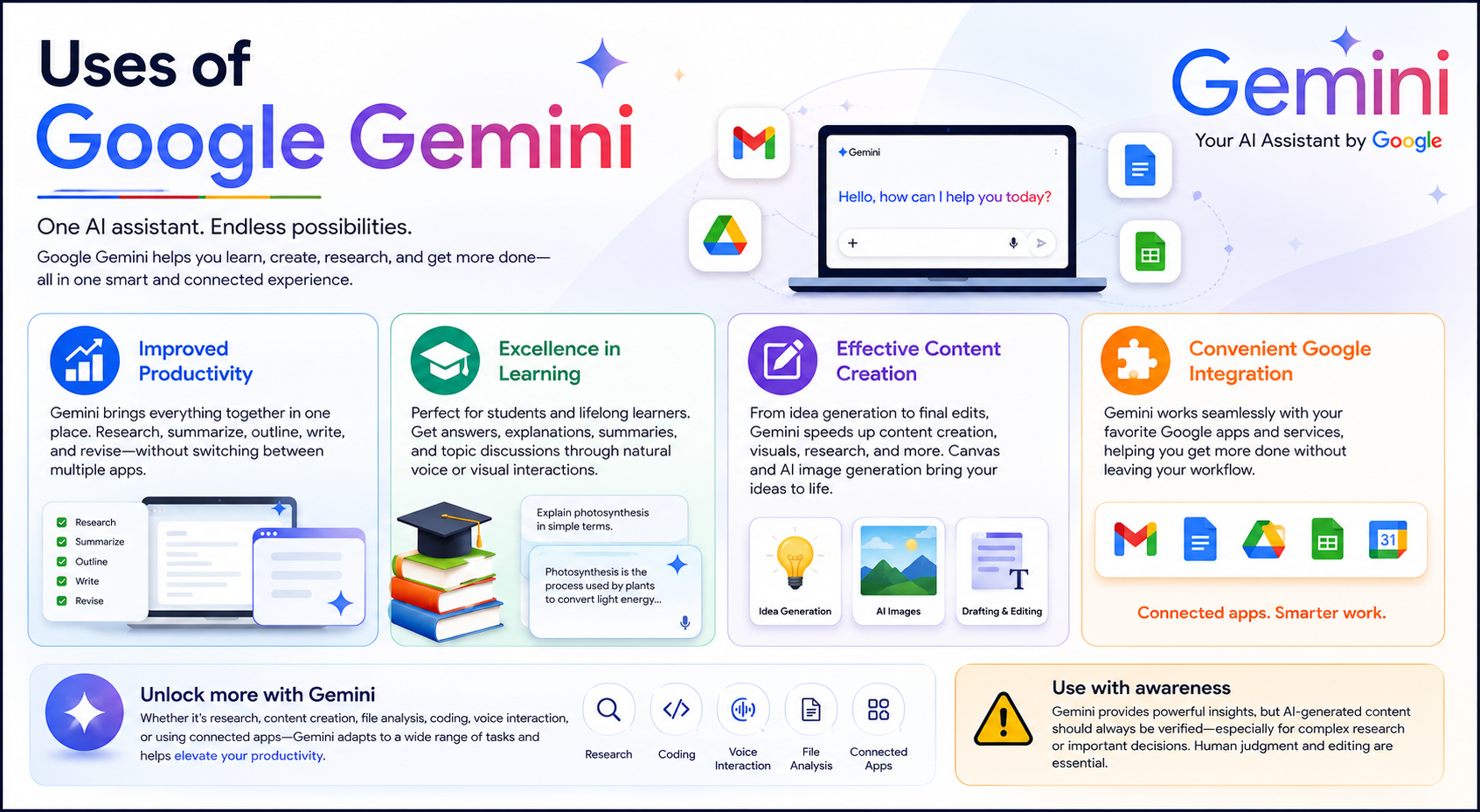
Improved Productivity
The most important feature of Gemini is fully immersive productivity within one environment. Users do not have to switch between several applications to complete a task, such as researching a topic, summarize your findings, outlining, writing, and revising the final text.
Excellence in Learning
The progressive learning community can use Gemini for researching, answering, and explaining questions, summarizing text, and even drafting and discussing topics. Interaction with AI can be done naturally through voice or visual interfaces, enhancing learning.
Effective Content Creation
Content creators and marketers will find Gemini useful as it speeds up tasks such as idea generation, drafting, editing, visual creation, and research. Additionally, when a project involves more than just text, Canvas and the AI image generator will help fulfill the need.
Convenient Google Integration
If you embrace how to best utilize Google Gemini, then you will definitely see how it can elevate productivity.
Although the answers to simple questions may not be life-changing, the platform becomes very useful for someone who does a variety of tasks. These include research, content creation, file analysis, coding, voice interaction, and use of connected apps.
The majority of the individual features in the platform are essentially the same as comparable features in other platforms. It contains AI capabilities and combines features. However, the power of the platform is in its integrated systems.
The output from AI systems must be manually verified, especially in complex research, because generated content may require human editing. Users should refrain from trusting AI too much, especially for making important decisions.
Who Should Use Google Gemini?
- Students: Useful for research, explanations, brainstorming, and study assistance.
- Marketers: Helpful for planning, idea generation, content creation, and copy for marketing materials.
- Business Professionals: Valuable for improving productivity and summarizing information, research, and creating and editing Word documents.
- Developers: AI-assisted coding and CV development can help with application prototyping, debugging, and experimentation.
- Content Creators: Image generation, writing assistance, brainstorming, and research.
- Everyday Users: Voice conversations, visual assistance, task planning, and assistance for answering everyday questions.
Also Read- Best Digital Marketing Tools: Powerful Picks for Success
Pros and Cons
Pros
- Multimodal technology
- Conversational AI
- Research tool
- Interactive Canvas
- Powerful creativity tools
- Customized Gems
- App integration
- Web and mobile availability
Cons
- Advanced features dependent on plan/access
- Responses require fact-checking
- Capability variance dependent on country and/or device
- Feature set can be overwhelming
Final Verdict
Given the features and how Google Gemini is used, it is considered one of the more dominant AI services out there.
The chief advantage is how many tasks it supports. It is capable of moving between research and content creation, conversations, research to text to voice, images, code, and interactive projects.
The Deep Research, Gemini Live, Canvas, Gems, and the feature set with connected applications make it more than a chatbot and more of an intelligent assistant.
It can be a great AI assistant for the general user and a productivity tool for more creative and professional users.
Rating: 4.5/5
Google Gemini is a great AI assistant to use if you want something that is powerful with a whole lot of ecosystem.
FAQs About Google Gemini
1. What is Google Gemini generally used for?
This AI assistant can be used to help with research, text creation, brainstorms, and code as well as interactive content and image making.
2. Is Google Gemini available on mobile?
Yes. Mobile versions of Gemini are available as part of Android, and experiences may vary for other users including availability and features.
3. What is Gemini Live?
Gemini Live offers users an experience to converse with AI through spoken, natural language input. Some mobile versions of Gemini may offer camera streaming and screen-sharing.
4. What is Deep Research?
This feature helps users develop a research plan to understand complex topics and then synthesize information from various sources to form a report.
5. What is Canvas in Gemini?
Canvas is an interactive workspace used to engage with a variety of content among others, including forms, documents, applications, code, and quizzes, as well as different types of media such as presentations and infographics.
6. Is Google Gemini good for content creators?
For sure. From writing, researching, brainstorming, AI-generated images, to the use of Canvas, content creators will be able to streamline their work in various stages the content production process.