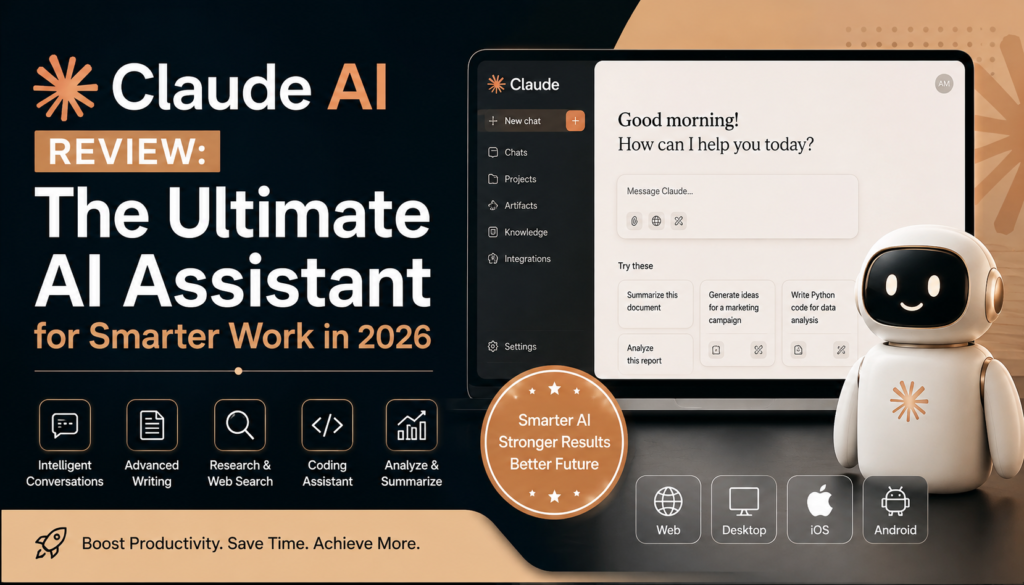
Claude AI Review: The Ultimate AI Assistant for Smarter Work in 2026
+
Table of Contents
- 1 What is Claude AI?
- 2 Claude AI and Availability
- 2.1 Web App
- 2.2 Desktop App
- 2.3 iOS and Android Apps
- 2.4 Claude Code
- 2.5 Claude Cowork
- 3 Important Features of Claude AI
- 3.1 1. Advanced Writing
- 3.2 2. Research and Web Search
- 3.3 3. Document Analysis
- 3.4 4. Coding
- 3.5 5. Artifacts
- 3.6 6. Extended Thinking
- 3.7 7. Memory and Projects
- 4 Benefits of Claude AI
- 4.1 Who Should Use Claude AI?
- 4.2 Claude AI Pricing for 2026
- 4.3 Pros and Cons
- 4.4 Is Claude AI Worth It in 2026?
- 5 Conclusion
The use of AI in work has become evident, and choosing the right assistant can offer a big boost to your productivity. AI is capable of performing a multitude of tasks like writing, researching, coding, data analysis, and more. Tasks that in the past required a lot of time and hard work from employees. Claude AI is one of the highly functional AI assistants to fit the needs of professionals, students, developers, marketers, as well as businesses.
Anthropic designed Claude to help its users think, write, prepare, analyze, create content, and perform complex tasks. By 2026, Claude has grown beyond what could be considered a typical chatbot by developing web and mobile applications, desktop tools, code known as Claude Code, an app known as Claude Cowork, Microsoft 365 integrations, and other services geared towards development.
In the current state, does Claude have potential in 2026? Let’s check out what Claude has to offer with its apps, features, benefits, limitations, and overall value.
What is Claude AI?
Claude is Anthropic’s AI assistant designed to help its users with everyday conversations as well as professional and technical work. Anthropic AI assistants are designed to answer users’ questions, create and edit written works, summarize and analyze documents, generate code, and more. Claude AI assistant can even be used with other tools for web searching, executing code, and for use with memory and even extended thinking.
One of Claude’s strongest features is its ability to help users overcome the challenge of tasks requiring more than just a quick response. This AI tool can help users develop ideas, evaluate information, revise drafts, analyze documents, and provide prompts to assist users in answering complex questions or solving complex problems step by step.
Claude AI and Availability
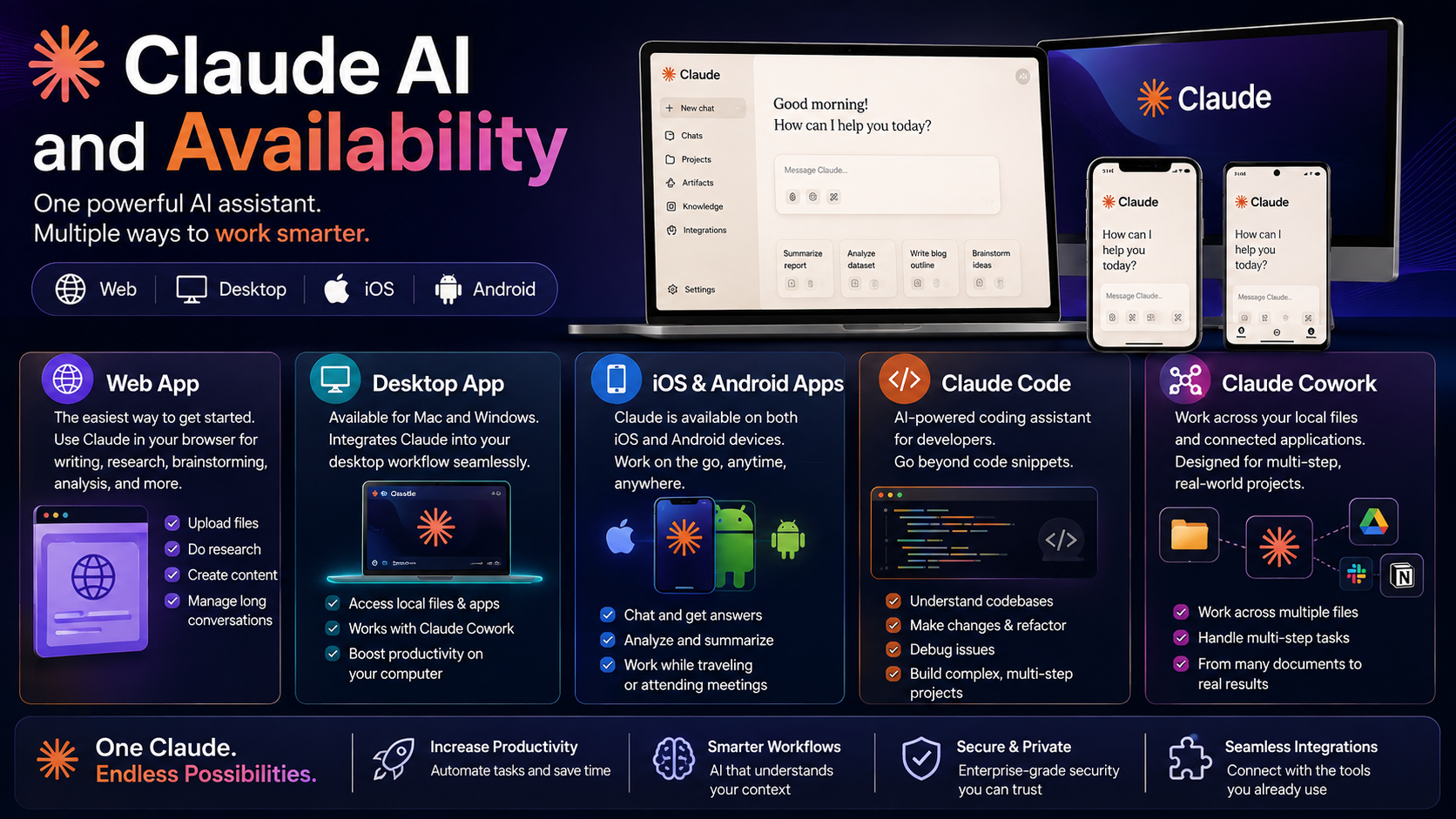
One of the reasons users are attracted to the platform is its availability through multiple devices and workflows.
Web App
The web application is the easiest way to get started. Users can access Claude through a browser to assist in writing, research, brainstorming, analysis, and general assistance through artificial intelligence.
It is particularly useful when working on a desktop or laptop because users can upload files, conduct research, create content, and manage longer conversations from one application.
Desktop App
Claude is available as a desktop application for both Mac and Windows. The desktop application makes it easier to incorporate AI into workflows.
It is especially useful with the addition of tools like Claude Cowork that need to access files and applications on the local computer.
iOS and Android Apps
Claude is also available for both iOS and Android. This makes Claude’s functionality available through smartphones and tablets. Users can use Claude to chat, conduct analysis, and work with the assistant.
This makes the platform useful for professionals who need an AI assistant while traveling, attending meetings, or working remotely. Anthropic confirms Claude is available on web, iOS, Android, and desktop.
Claude Code
Claude has a dedicated service called Claude Code. It is designed to assist developers with their tasks in a workflow through artificial intelligence coding.
Developers can use Claude Cowork to do more than just request a simple code snippet. It can help understand codebases, make changes, and debug issues. It can also assist in developing complex, multi-step projects.
Claude Cowork
Claude Cowork takes the concept of AI assistance further by allowing Claude to work across local files and connected applications.
Anthropic envisions Cowork as assisting work across multiple documents and applications across multiple steps of a project, rather than just a single conversational interaction.
Also Read- Perplexity AI Review: The Ultimate AI Search Tool
Important Features of Claude AI
1. Advanced Writing
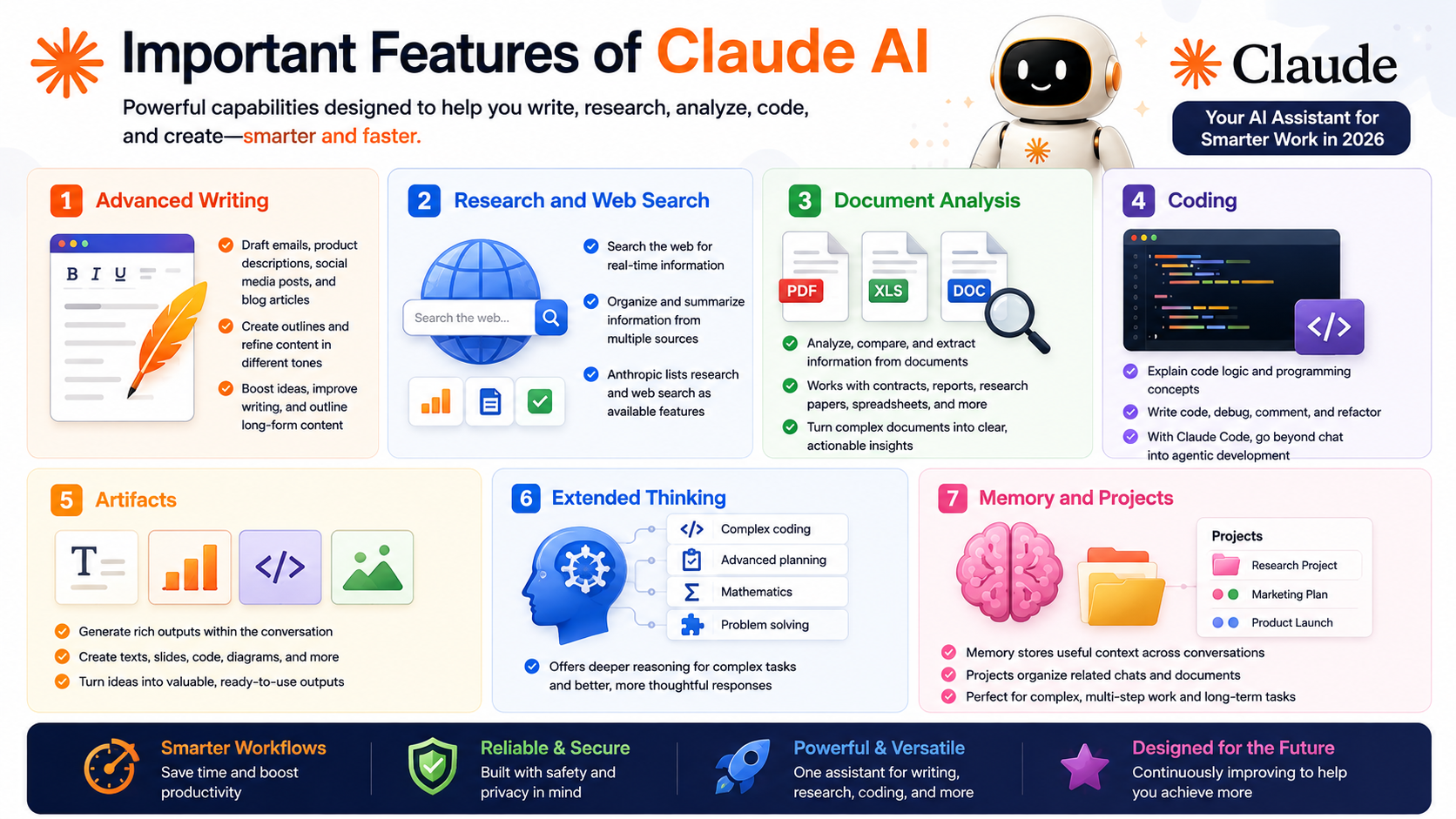
Claude has the ability to aid in creating high-quality writing and meeting a variety of use cases. It can draft emails, create descriptions of products, social media posts, and blog posts.
It can create written outlines and also take existing written pieces and clean them up through a variety of lenses, such as professionally, economically, and more engaging writing.
For content and SEO writers, it can aid in idea generation, improving written pieces, and drafting outlines for longer pieces of writing.
2. Research and Web Search
When the feature is released, Claude can perform searches on the web. It becomes very valuable because users do not want to rely on the information contained in the model.
Rather than physically searching numerous different pages, users can present Claude with a prompt and ask it to complete a set of instructions to organize information into a clear response.
Anthropic has listed research and web search as an available feature.
3. Document Analysis
Yet another major strength is processing and analyzing documents. Users can give Claude a set of documents and ask for analysis, comparison, and extraction of information.
This is helpful for long forms and heavy content documents like contracts, reports, research papers, business documents, spreadsheets, etc.
4. Coding
Claude is a pro at coding. He is able to walk you through the steps and logic of programming. Claude can also write code for you, debug code, write comments, and assist with significant programming endeavors.
With Claude Code, the experience goes beyond simple chat and enters a more automated and agentic development process.
5. Artifacts
Users can generate a bunch of helpful output amidst a reformatted conversation. Rather than just receiving plain text, users now have the ability to create texts, slides, code, or any other output to create value.
This is useful for users who wish to convert an idea into a usable output.
6. Extended Thinking
Claude offers the extended-thinking service for more complicated tasks. This service is designed to offer increased reasoning in response to a given task.
This is helpful for complex coding tasks, advanced planning, math, and problems.
7. Memory and Projects
Memory allows Claude to memorize useful information in the conversations. Projects are designed to organize related discussions and related documents.
These features are helpful for users working on complex and multi-step tasks.
Benefits of Claude AI
| Feature | Importance |
|---|---|
| Strong Writing | Writes, edits, reformats, and restructures documents |
| Research | Provides research guidance, insights, and pathways for finding information |
| Coding Assistance | Provides coding guidance and helps automate code-related tasks |
| File Analyzer | Transforms complicated textual datasheets and documents into digestible formats |
| Cross-Platform | Available on web, desktop, iOS, and Android |
| Projects | Helps manage ongoing projects and daily tasks |
| Memory | Stores useful contextual information to maintain continuity |
| Cowork | Allows multiple steps to be completed across different files and applications |
| Claude Code | Assists with and automates coding processes |
| Integrations | Connects Claude with selected business tools and applications |
Who Should Use Claude AI?

Getting started with Claude is easy and has varying use cases.
Students measure email complexity, automate writing study outlines, answer study questions, and perform research.
Writers and marketers brainstorm and outline content, assist with drafts, perform research, and plan content.
SEO experts automate content, generate topic clusters, and write an outline before a content brief.
Developers can benefit from coding assistance and Claude Code, particularly when working on large or complicated projects.
Businesses perform document analysis, workflow automation, and help with content generation.
Anthropic offers the Anne Platform for use in business applications to users who want to add Claude to their system.
Claude AI Pricing for 2026
Claude currently has Free, Pro, Max, Team, and Enterprise packages.
The Free plan includes access to the web, iOS, Android, and desktop versions of Claude with web browsing and search capabilities as well as memory, file, and code execution and extended thinking, all limited by usage.
The cost of the Pro plan comes in at $20 per month/ $200 per year, while the Max plans start at $100 per month. These plans offer significantly increased usage.
As with any product or service, users should always be aware of pricing and availability of different models to understand the possible investment.
Pros and Cons
Pros
- Single user, for personal and professional use
- Expand writing and editing capabilities
- Robust reasoning and analysis of written work
- Document research and code-related tasks
- Web and mobile friendly
- Strong memory and project features
- Advanced services available including coworking and Claude coding
- Strong value for personal and professional use
Cons
- Limited free service
- Advanced features require paid services
- Information generated by AI programs requires fact-checking
- Programs with advanced features are difficult to utilize for novice users
- Considerable cost can be incurred for professional use
Is Claude AI Worth It in 2026?
For individuals who use writing, research, documents, coding, and other tasks related to complex knowledge, Claude is in the top tier as an AI assistant.
Anthropic has developed Fable 5.1, Opus 5, Sonnet 5, Haiku 4.5, and others, which provide a spectrum of capabilities and speed at varying costs.
For the average user, the free variant should be sufficient for trying its tools. Compared to the free variant, professionals would benefit from purchasing subscriptions for higher usage and tool access.
Conclusion
Claude has really innovated past traditional AI chatbots. Its integrations for writing, coding, web searching, memory, and document analysis, along with its projects and apps, make it a strong productivity tool.
Claude Code and Claude Cowork are new features that really put the platform in the direction of longer, multi-step tasks as opposed to just answering individual prompts.
Claude AI is a great choice for an AI assistant for($) smart work in 2026. It can’t eliminate the need for humans for expertise, judgment, or creativity. It can, however, save time and accelerate the movement of ideas to finished work.
FAQs About Claude AI
1. What is Claude AI used for?
Claude AI can be used for writing, research, brainstorming, document analysis, coding, data analysis, content creation, and more.
2. Is Claude AI free?
Yes, there is a free variant of Claude AI, but it has usage limits. For higher usage and tool access, purchase a subscription.
3. Does Claude AI have a mobile app?
Yes, you can access Claude AI through web and desktop applications. It also has an iOS and Android application.
4. Is Claude AI good for coding?
Yes. In addition to assisting coding, you can find tools specific for software development in Claude Code.
5. Does Claude work with PDFs and files?
Yes, Claude can assist with files users upload. It can help with summarization, analysis, comparison, and extraction of data and information from uploaded files and documents.
6. What is Claude Code?
Claude Code is Anthropic’s coding tool that allows developers to use Claude to assist with complex programming tasks within a coding environment.